Skenario penerapanDeployment scenarios

Lihat alurnya sebelum melihat produknya.See the workflow before you see the product.

Mulai dari dokumen, pihak yang terlibat, titik keputusan, dan batas data. Obscura mengikuti alur kerja tersebut tanpa memaksa tim menyesuaikan prosesnya dengan produk.Start with the real document, participants, decisions, and data boundary. Obscura then follows that workflow instead of forcing the team to fit the product.

Contoh ilustratifIllustrative examples Disesuaikan saat pemetaanTailored during discovery Alur pengguna modernModern user flows
Tiga titik awalThree starting points

Pilih skenario yang paling dekat dengan pekerjaan Anda.Choose the scenario closest to your work.

Contoh ini menjelaskan pola penerapan, bukan klaim hasil pelanggan. Detail proses dan kontrol akan berbeda untuk setiap organisasi.These examples explain deployment patterns; they are not customer outcome claims. Process and control details will vary by organization.

Klik kartu untuk langsung menuju skenario.Select a card to jump directly to a scenario.

01 · Layanan keuanganFinancial services

Selesaikan perjanjian kredit tanpa kehilangan konteks.Complete credit agreements without losing context.

Dokumen bergerak dari penyusunan dan telaah menuju penandatangan internal maupun eksternal, e-Meterai, lalu arsip. Data sensitif tetap mengikuti batas deployment.The document moves from drafting and review to internal and external signing, e-Meterai, then archive. Sensitive data continues to follow the deployment boundary.

Relevan untuk Anda jikaWorth exploring whenSatu transaksi membutuhkan banyak pihak, bukti waktu, dan integrasi layanan kepercayaan.One transaction involves multiple parties, time evidence, and trust-service integrations.
01

Susun & telaahDraft & review

Tim menggunakan satu versi kerja, metadata nasabah yang relevan, komentar, dan persetujuan berbasis peran.Teams use one working version, relevant customer metadata, comments, and role-based approvals.

02

Tandatangani & bubuhkan e-MeteraiSign & apply e-Meterai

Urutan pihak, sertifikat, nomor seri, dan waktu disimpan bersama bukti transaksi melalui konektor yang disepakati.Party order, certificates, serial numbers, and time are retained with transaction evidence through agreed connectors.

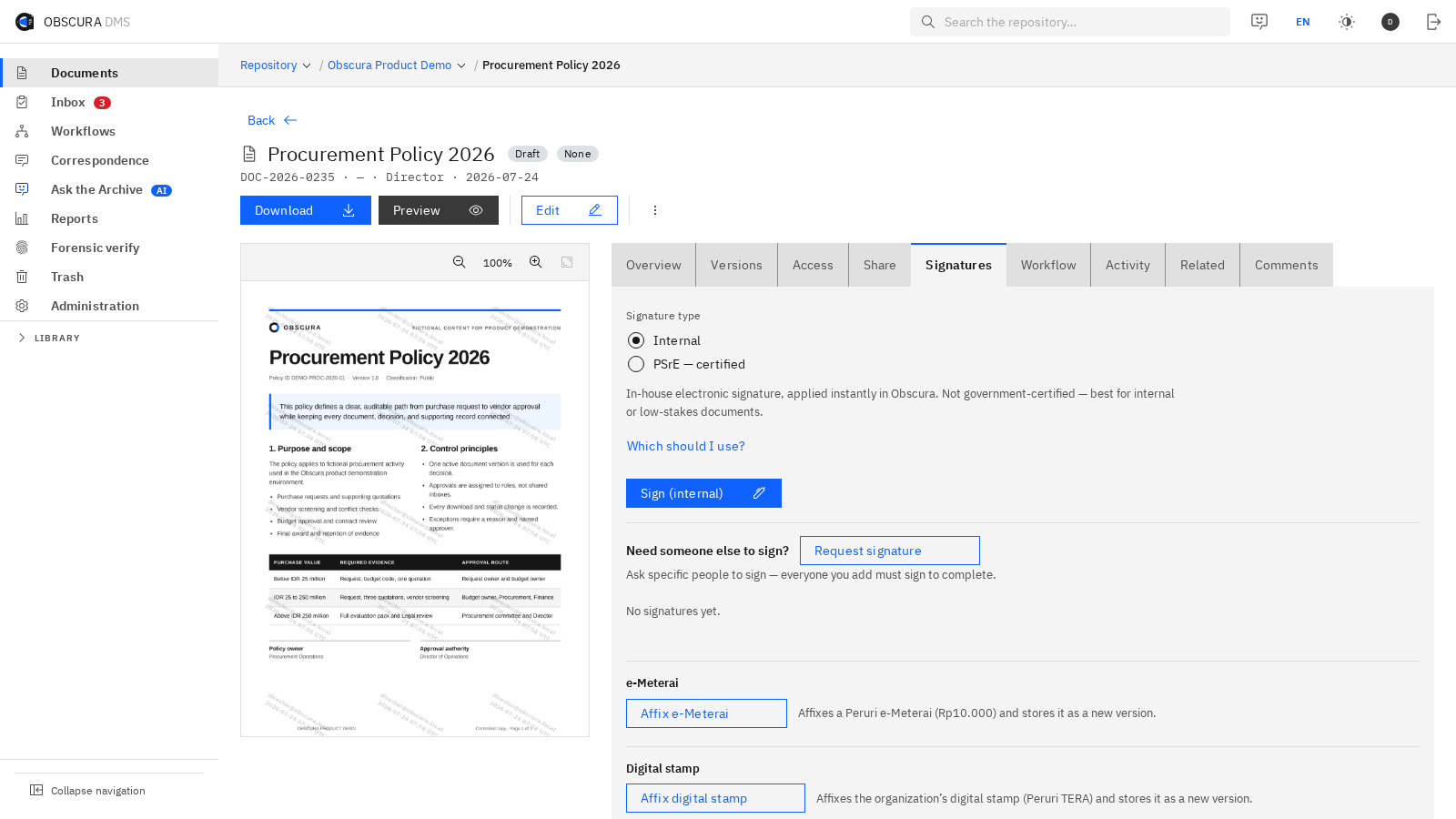
Dokumen PDF di Obscura dengan kontrol tanda tangan, e-Meterai, dan stempel digital. Perbesar GambarEnlarge Image
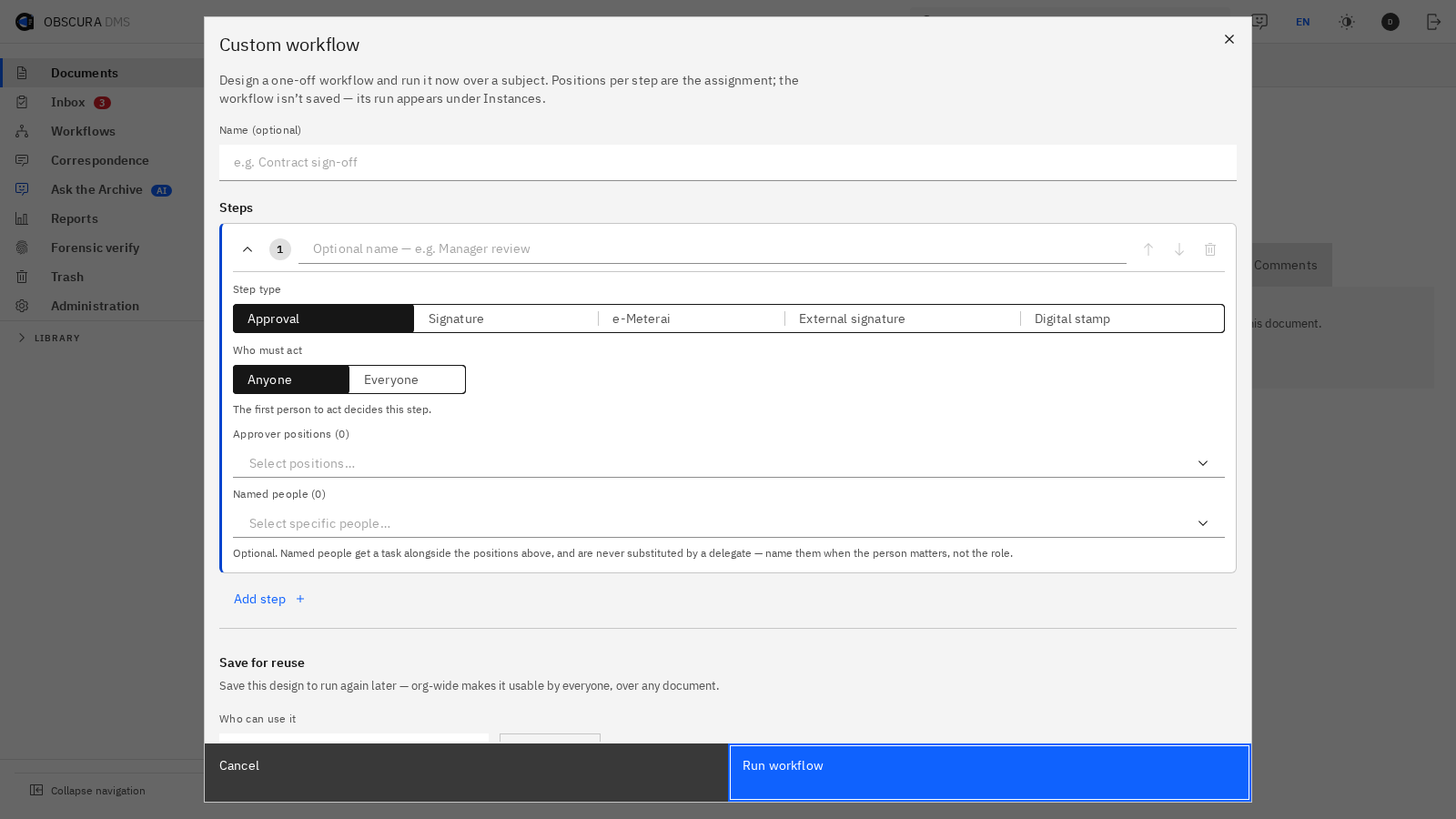
Di antara langkah 02 dan 03Between steps 02 and 03 Dokumen tetap terlihat saat penandatanganan disiapkan.The document stays visible while the ceremony is prepared. Tanda tangan, e-Meterai, dan stempel digital ditempatkan di samping pratinjau sebelum hasil final masuk ke arsip.Signing, e-Meterai, and digital stamps are placed beside the preview before the final result enters the archive.
03

Arsipkan & buktikanArchive & evidence

Dokumen final, versi, tindakan, retensi, dan kontrol unduh tetap terhubung dalam satu riwayat.The final document, versions, actions, retention, and download controls remain connected in one history.

Kontrol yang dipetakan di awalControls mapped during discovery
Batas data nasabahCustomer-data boundaryJalur PSrE & e-MeteraiPSrE & e-Meterai routeAkses pihak eksternalExternal-party accessRetensi per jenis perjanjianRetention by agreement type
02 · Jaringan tertutupClosed network

Jalankan persuratan di dalam batas jaringan.Run correspondence inside the network boundary.

Surat masuk, disposisi, instruksi, tindak lanjut, dan arsip dapat dikelola dengan dependensi lokal. Modul yang memerlukan layanan luar dinonaktifkan atau diberi jalur terkontrol.Incoming mail, routing, instructions, follow-up, and archive can be managed with local dependencies. Modules that require external services are disabled or given a controlled route.

Relevan untuk Anda jikaWorth exploring whenKonektivitas keluar dibatasi dan klasifikasi dokumen mengatur siapa boleh melihat, meneruskan, atau mengunduh.Outbound connectivity is constrained and document classification governs who may view, forward, or download.
01

Registrasi & klasifikasiRegister & classify

Catat asal, tujuan, nomor agenda, klasifikasi, dan metadata surat sebelum masuk ke alur disposisi.Record origin, destination, registry number, classification, and metadata before correspondence enters routing.

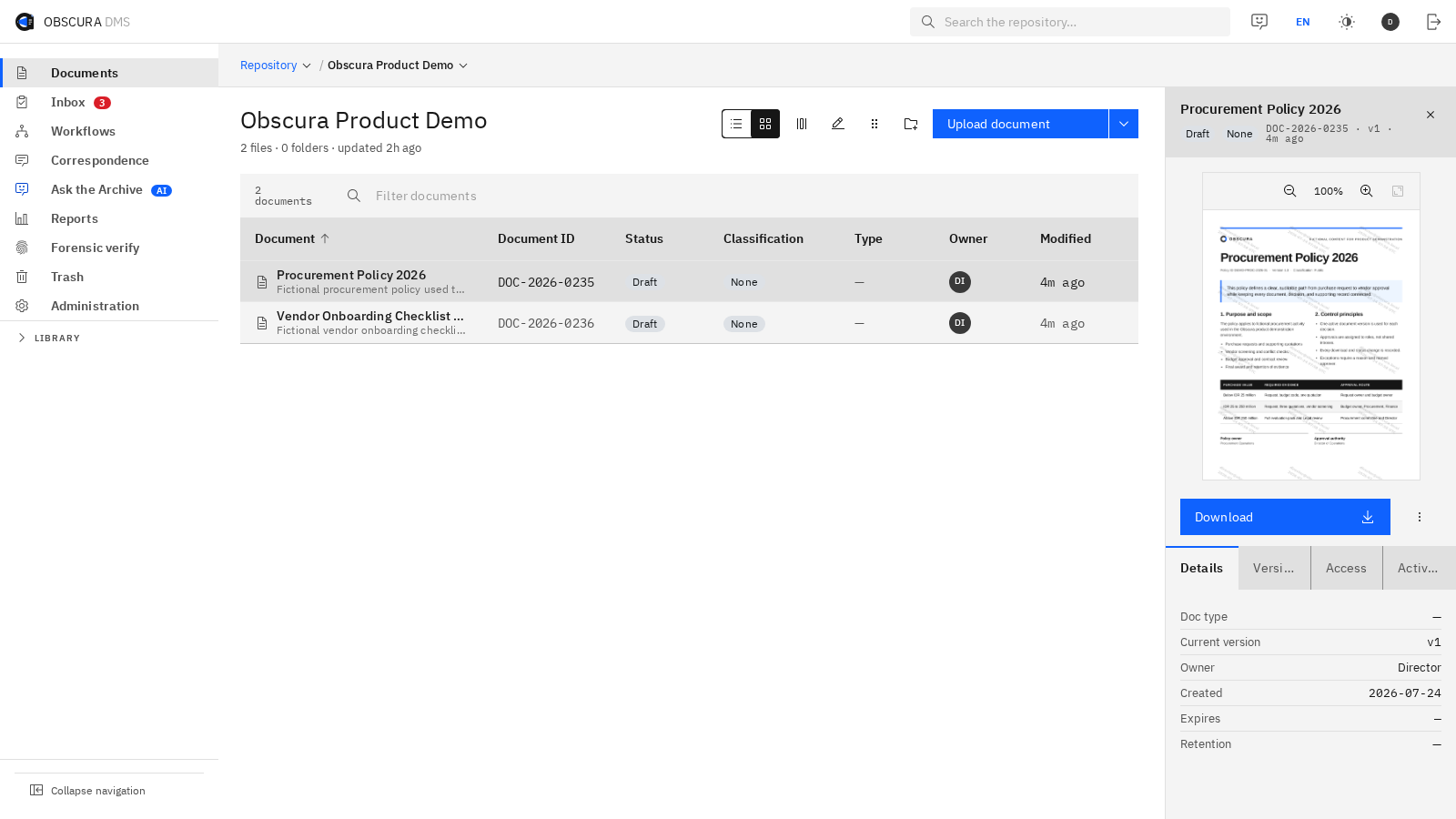
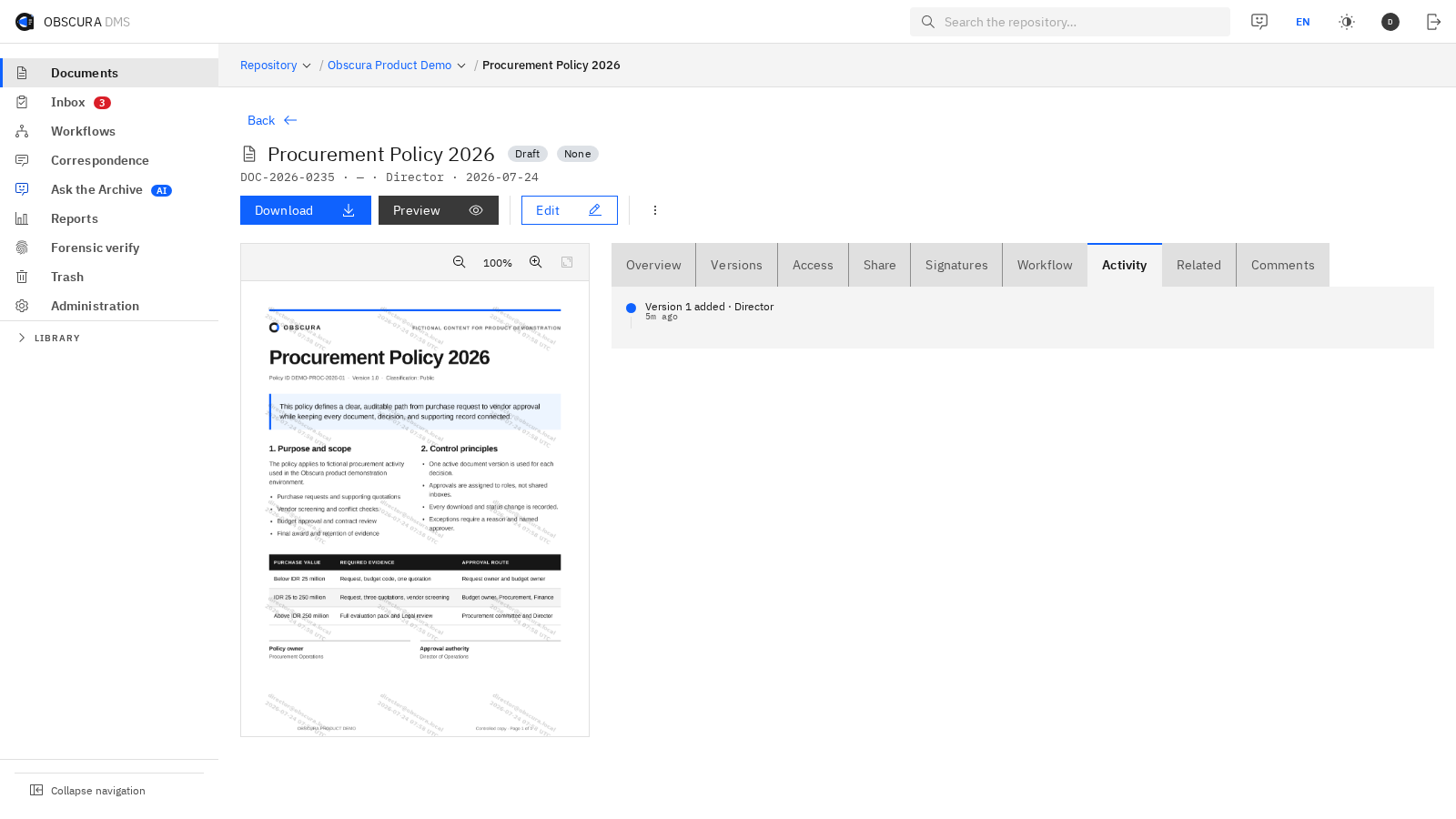
Repositori Obscura dengan daftar dokumen, metadata, dan pratinjau dokumen terpilih. Perbesar GambarEnlarge Image
Sesudah langkah 01After step 01 Klasifikasi langsung memberi konteks untuk tindakan berikutnya.Classification immediately informs the next action. Operator memilih dokumen, memeriksa metadata dan pratinjau, lalu meneruskannya tanpa memindahkan dokumen ke layanan lain.An operator selects the document, checks its metadata and preview, then routes it without moving the file to another service.
02

Disposisi berjenjangTiered routing

Arahkan instruksi ke jabatan yang tepat dengan tenggat, status, dan jalur eskalasi yang dapat ditelusuri.Route instructions to the right role with traceable deadlines, status, and escalation paths.

03

Tindak lanjut & arsipFollow up & archive

Hubungkan balasan, lampiran, keputusan, dan kebijakan retensi tanpa memindahkan dokumen ke layanan terpisah.Connect responses, attachments, decisions, and retention policy without moving documents to a separate service.

Kontrol yang dipetakan di awalControls mapped during discovery
Profil tanpa koneksi keluarNo-outbound profileRBAC per jabatanRole-based accessKontrol pratinjau & unduhPreview & download controlsAudit dan retensi lokalLocal audit and retention
03 · Tim hukumLegal teams

Telaah dengan konteks, lalu tutup alurnya.Review with context, then close the loop.

Tim mencari klausul dan preseden, menyunting dokumen bersama, mengumpulkan persetujuan, lalu memulai proses penandatanganan tanpa kehilangan riwayat kerja.Teams find clauses and precedent, co-edit documents, collect approvals, then launch signing without losing the working history.

Relevan untuk Anda jikaWorth exploring whenKontrak serupa berulang, preseden tersebar, dan pihak eksternal perlu menandatangani tanpa akun internal.Similar contracts recur, precedent is scattered, and external parties need to sign without an internal account.
01

Cari presedenFind precedent

Gunakan pencarian kata kunci atau semantik pada dokumen yang memang boleh diakses oleh pengguna.Use keyword or semantic search across documents the user is actually allowed to access.

02

Susun & setujuiDraft & approve

Edit dalam satu versi, catat komentar, lalu arahkan persetujuan berdasarkan jenis dan nilai kontrak.Edit one version, retain comments, then route approvals based on contract type and value.

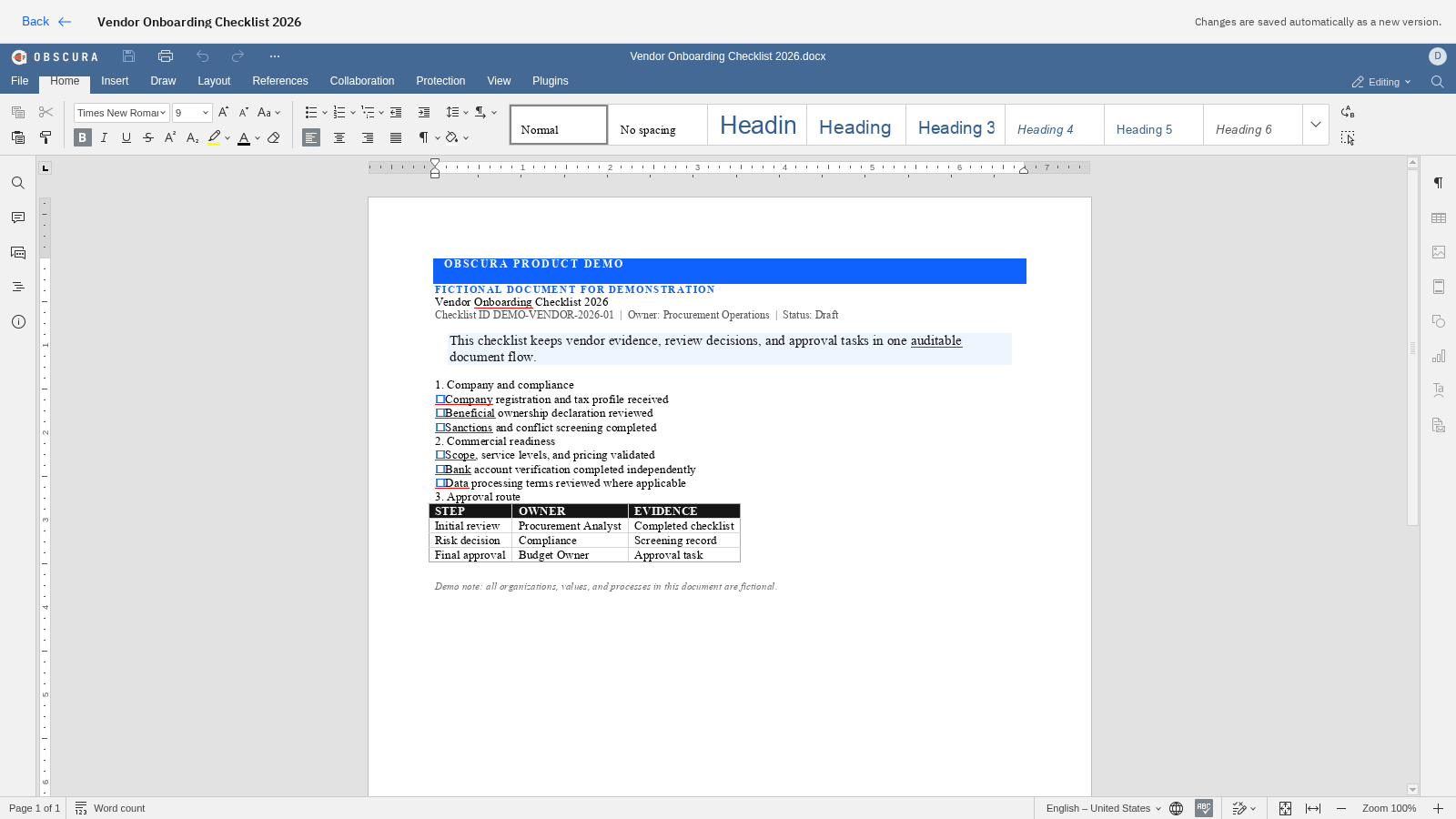
Dokumen DOCX dibuka langsung di editor Office Obscura. Perbesar GambarEnlarge Image
Di dalam langkah 02Inside step 02 Kontrak dikerjakan di tempat riwayatnya disimpan.The contract is edited where its history is kept. DOCX dibuka dari dokumen yang sama. Perubahan menjadi versi baru sebelum persetujuan dan tanda tangan berikutnya.The DOCX opens from the same document. Changes become a new version before the next approval and signing steps.
03

Tanda tangani & simpanSign & retain

Undang pihak eksternal melalui tautan aman, lalu simpan dokumen final beserta bukti penandatanganan dan kebijakan retensinya.Invite external parties through a secure link, then retain the final document with ceremony evidence and policy.

Kontrol yang dipetakan di awalControls mapped during discovery
Izin pencarian & AISearch & AI permissionsMatriks persetujuanApproval matrixIdentitas pihak eksternalExternal-party identityRetensi per kontrakRetention by contract
Prinsip bersamaShared principles

Sektor berubah. Pertanyaan kendali tetap sama.The sector changes. The control questions stay the same.

Setiap pemetaan awal dimulai dengan empat keputusan yang menentukan konfigurasi, integrasi, dan ruang lingkup uji coba.Every discovery starts with four decisions that shape configuration, integrations, and pilot scope.

01

Di mana data tinggal?Where does data live?

Pilih lingkungan, batas jaringan, dan dependensi yang dapat diizinkan.Choose the environment, network boundary, and allowable dependencies.

02

Siapa boleh bertindak?Who may act?

Petakan peran, klasifikasi, pihak eksternal, dan langkah persetujuan.Map roles, classification, external parties, and approval steps.

03

Bukti apa yang dibutuhkan?What evidence is required?

Tentukan audit, sertifikat, waktu, versi, dan metadata yang harus dipertahankan.Define the audit, certificates, time, versions, and metadata to retain.

04

Apa uji coba terkecil yang berguna?What is the smallest pilot?

Batasi tahap awal pada satu dokumen, alur, kelompok pengguna, dan hasil yang dapat dievaluasi.Constrain the first phase to one document, workflow, user group, and evaluable outcome.

Bawa satu alur kerjaBring one real workflow

Ubah skenario menjadi demo yang relevan.Turn a scenario into a relevant demo.

Ceritakan dokumen, pihak, keputusan, dan batas deployment Anda. Demo akan mengikuti konteks tersebut.Share your document, participants, decisions, and deployment boundary. The demo will follow that context.