Platform dokumen on-premise untuk organisasi teregulasi On-premise document platform for regulated organizations

Satukan seluruh siklus dokumen resmi tanpa melepas kendali atas datanya. Unify the official document lifecycle without giving up control of the data.

Obscura menyatukan pembuatan, kolaborasi, tanda tangan bersertifikat, e-Meterai, disposisi, dan arsip dalam satu platform modular dengan audit trail menyeluruh. Obscura brings creation, collaboration, certified signing, e-Meterai, routing, and archiving into one modular platform with a complete audit trail.

Demo dan uji coba disesuaikan dengan dokumen serta alur kerja organisasi Anda. The demo and pilot are tailored to your organization's documents and workflows.
Repository Obscura Product Demo · 2 documents
Repositori Obscura yang menampilkan folder demo, dua dokumen, dan panel pratinjau dokumen yang dipilih. Perbesar GambarEnlarge Image
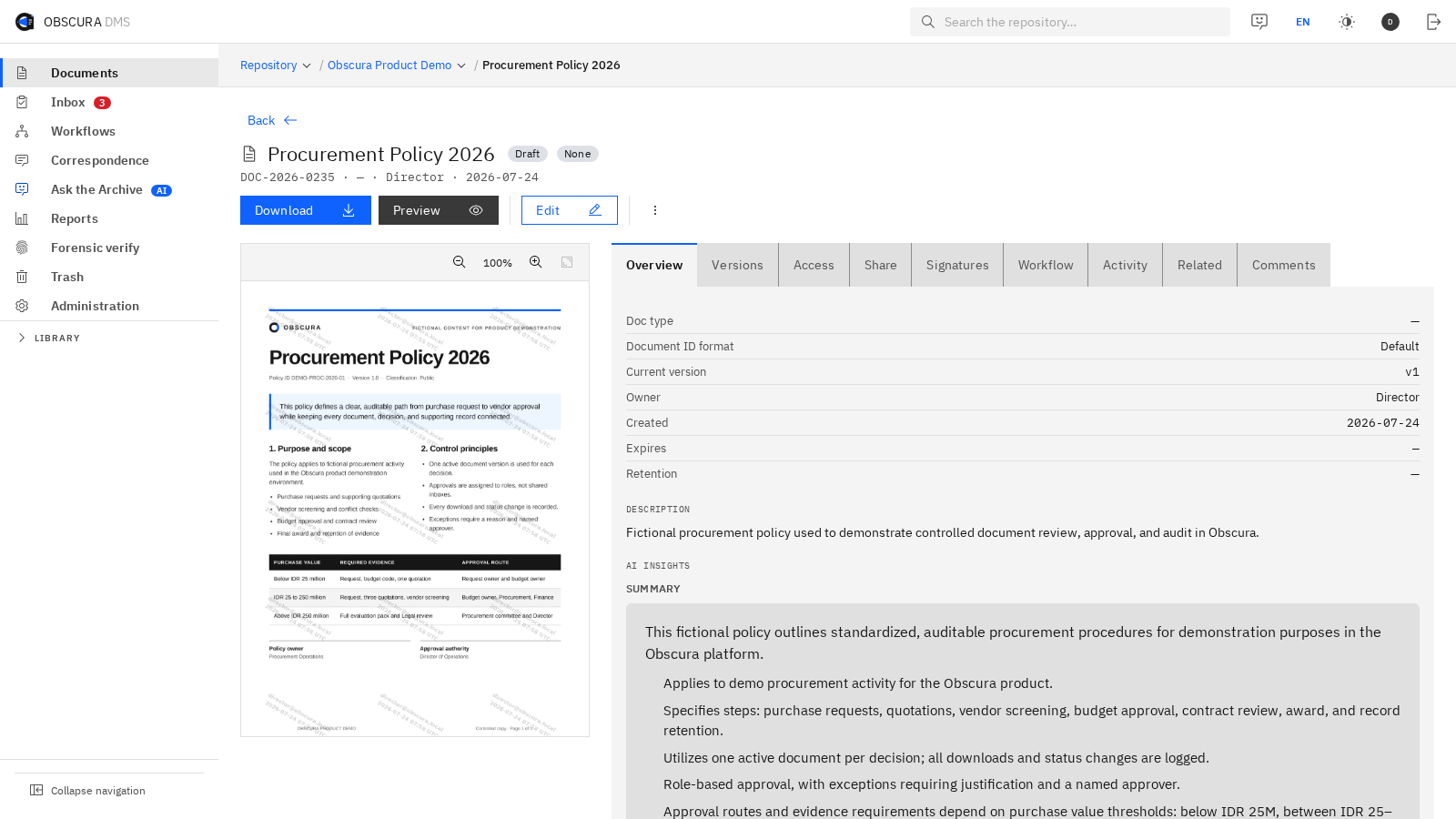
Temukan dokumen tanpa kehilangan konteks.Find documents without losing context. Buka folder, pindai metadata, lalu lihat pratinjau dokumen tanpa meninggalkan repositori.Open a folder, scan metadata, and preview the selected file without leaving the repository.
Valid
Dibangun olehBuilt by PT Virtue Digital Indonesia
01
Deployment Single-tenant
02
Integration OpenAPI-first
03
Jalur resmiOfficial route Integrasi PSrE & e-MeteraiPSrE & e-Meterai integration
Interface ObscuraObscura interface

DMS modern, tanpa rasa portal lama.A modern DMS, without the legacy portal feel.

Banyak DMS terus menambahkan fitur ke pola antarmuka yang sudah terasa usang. Obscura dirancang seperti perangkat lunak modern: navigasi jelas, tindakan muncul sesuai konteks, dan informasi padat tetap mudah dipindai. Many DMS products keep adding features to an interface pattern that already feels dated. Obscura is designed like modern software: clear navigation, contextual actions, and information density that stays easy to scan.

01 / ORIENTASI01 / ORIENTATION

Jelas sejak pertama dibukaClear from the first click

Struktur konsisten, status mudah dipindai, dan tindakan utama terlihat tanpa harus menghafal menu.Consistent structure, scannable status, and visible primary actions remove the need to memorize menus.

02 / KECEPATAN02 / SPEED

Cepat untuk pekerjaan rutinBuilt for daily speed

Pencarian global, kotak masuk, alur kerja, laporan, dan arsip berada dalam satu pola navigasi yang mudah dikenali.Global search, inbox, workflows, reports, and the archive share one familiar navigation pattern.

03 / KEPADATAN03 / DENSITY

Kaya informasi, tetap tenangDense, never cluttered

Tim memperoleh detail operasional tanpa tampilan admin yang penuh panel dan gangguan visual.Teams get operational detail without the panels and visual noise common to legacy admin screens.

Dari terpisah menjadi terpaduFrom fragmented to unified

Satu dokumen, satu alur, satu jejak kendali.One document, one workflow, one chain of control.

Kurangi perpindahan file, duplikasi akses, dan audit yang terpecah dengan menyatukan seluruh siklus hidup dokumen. Reduce file transfers, duplicated access, and fragmented audits by unifying the entire document lifecycle.

Sebelum ObscuraBefore ObscuraTerpisahFragmented

Dokumen berpindah. Konteks tertinggal.Documents move. Context gets left behind.

  • 01File diunggah ke beberapa aplikasi atau pihak ketiga.Files are uploaded to multiple applications or third parties.
  • 02Tanda tangan, meterai, persetujuan, dan arsip memiliki jejak berbeda.Signing, stamping, approval, and archiving leave separate trails.
  • 03Tim audit merekonstruksi kejadian dari potongan bukti.Audit teams reconstruct events from fragments of evidence.
Dengan ObscuraWith ObscuraTerpaduUnified

Setiap tindakan tetap terhubung ke dokumen yang sama.Every action stays connected to the same document.

  • 01Versi, metadata, dan hak akses dikelola dari satu fondasi DMS.Versions, metadata, and permissions share one DMS foundation.
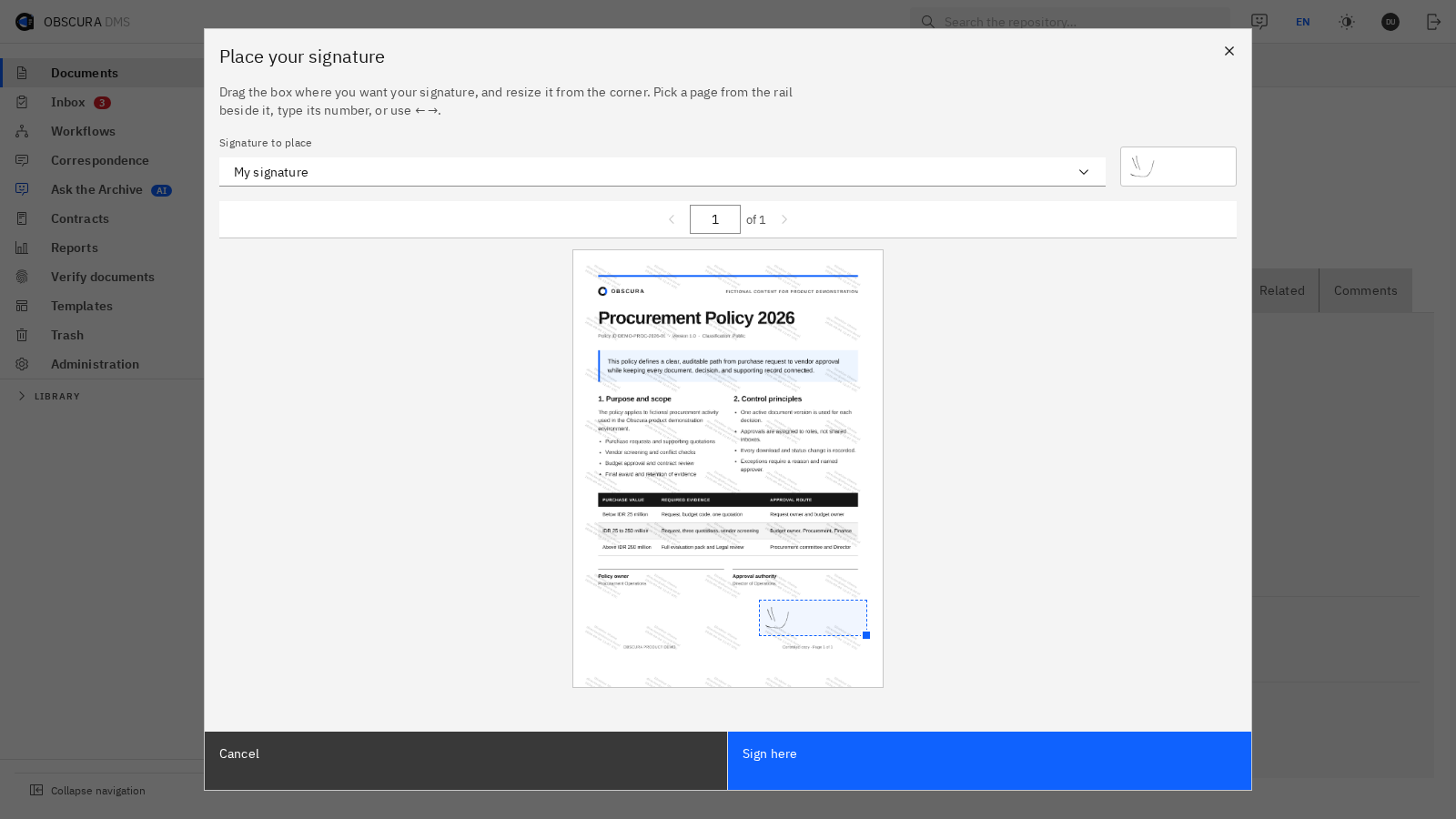
  • 02Kolaborasi, tanda tangan, e-Meterai, dan disposisi mengikuti satu alur.Collaboration, signing, e-Meterai, and routing follow one workflow.
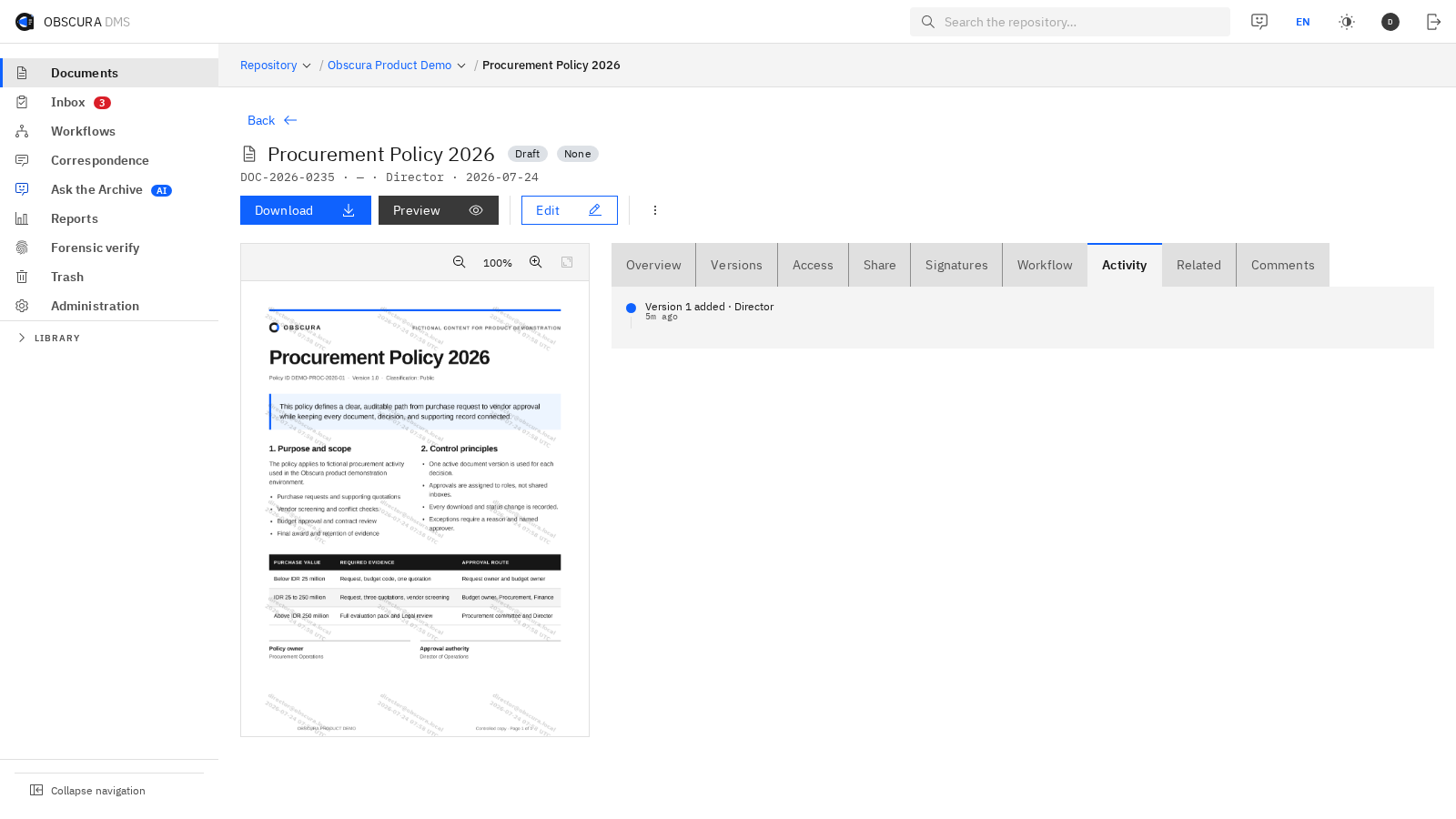
  • 03Jejak audit, retensi, dan kontrol arus keluar diterapkan secara konsisten.Audit, retention, and egress controls are applied consistently.
01 / KENDALI01 / CONTROL

Kendalikan lokasi dataControl where data lives

Tempatkan platform secara single-tenant di lingkungan yang dipilih organisasi.Run the platform as a single tenant in the environment your organization selects.

02 / ALUR02 / FLOW

Percepat tanpa memutus jejakMove faster without breaking the trail

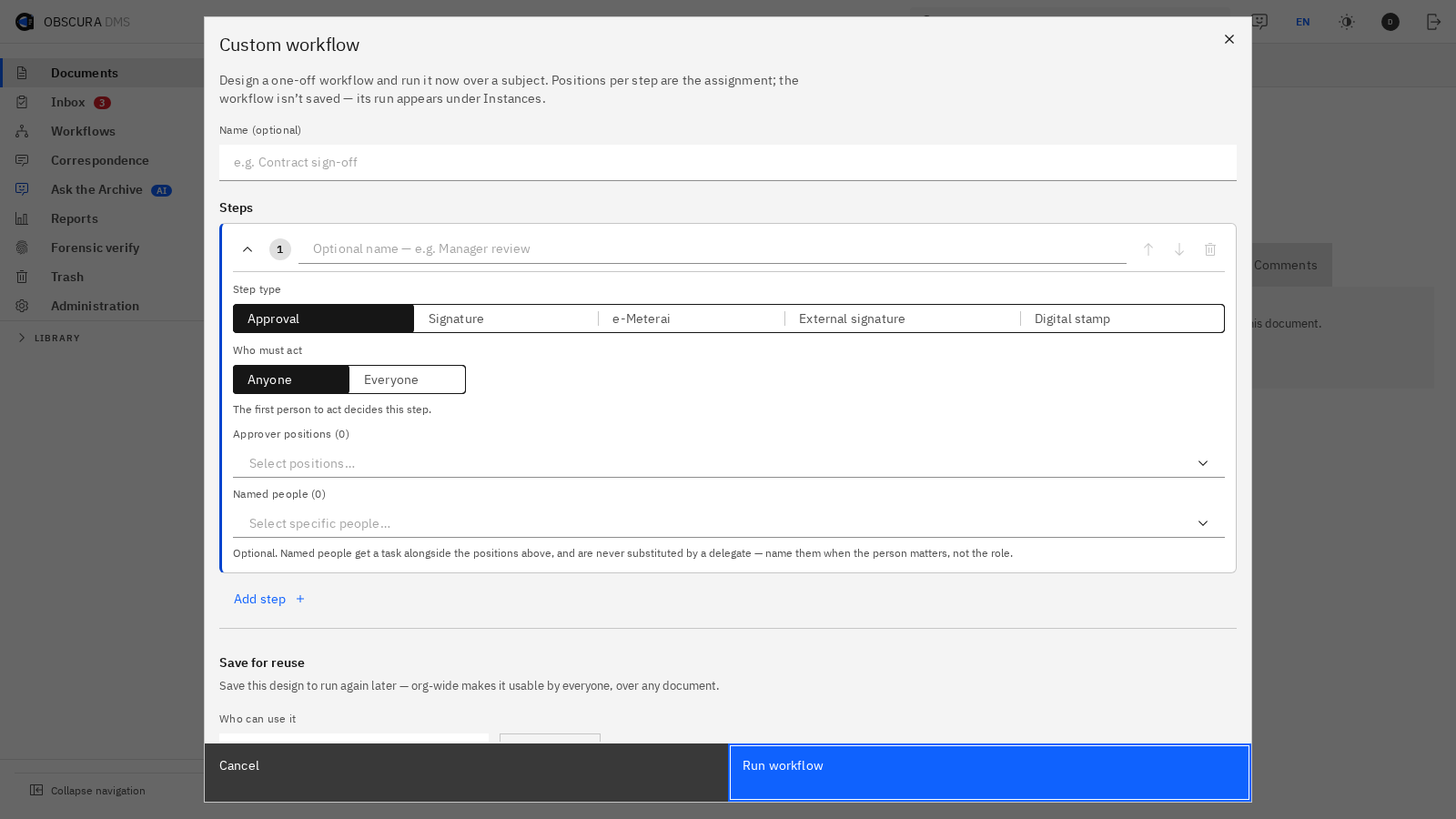
Selesaikan telaah, persetujuan, tanda tangan, dan arsip tanpa memindahkan dokumen antaralat.Complete review, approval, signing, and archiving without moving the document between tools.

03 / BUKTI03 / EVIDENCE

Siapkan bukti untuk auditKeep evidence audit-ready

Hubungkan identitas, waktu, versi, tindakan, dan kebijakan retensi dalam satu riwayat.Connect identity, time, version, action, and retention policy in one history.

Satu dokumen, dari awal sampai arsipOne document, from creation to archive

Empat tahap. Satu jejak kendali.Four stages. One chain of control.

Gulir untuk mengikuti perjalanan dokumen, atau pilih tahap untuk langsung melihatnya. Versi, identitas, hak akses, dan bukti audit tetap terhubung.Scroll through the document journey, or choose a stage to jump directly to it. Versions, identities, permissions, and audit evidence stay connected.

OBSCURA
Siklus dokumenDocument lifecycle · Obscura Product Demo
Editor Office Obscura dengan dokumen DOCX demo yang terbuka di peramban. Perbesar GambarEnlarge Image
01 · Ruang kerja01 · Workspace

Satu versi aktifOne active version

Susun dan telaah DOCX langsung di peramban. Perubahan kembali ke repositori yang sama sebagai versi yang dapat ditelusuri.Draft and review DOCX files directly in the browser. Changes return to the same repository as a traceable version.

DOCXVersioningCollaboration
Deployment tanpa area abu-abuDeployment without grey areas

Pilih batas konektivitas per deployment.Choose the connectivity boundary for each deployment.

Obscura membedakan fungsi lokal, konektor terkontrol, dan layanan cloud opsional agar tim TI dapat menilai arsitekturnya secara jujur.Obscura separates local functions, controlled connectors, and optional cloud services so IT teams can assess the architecture clearly.

Mode 01 · TerisolasiMode 01 · Isolated

Jaringan air-gappedAir-gapped network

Untuk lingkungan tanpa koneksi keluar, menggunakan dependensi yang ditempatkan lokal.For environments with no outbound connection, using locally hosted dependencies.

  • DMS inti & alur kerja lokalLocal core DMS & workflow
  • Audit, retensi & kontrol aksesAudit, retention & access control
  • Tanpa layanan eksternal aktifNo active external services
Mode 03 · OpsionalMode 03 · Optional

Layanan cloud opsionalOptional cloud services

Aktif hanya bila organisasi memilih penyedia tertentu, misalnya untuk model AI.Enabled only when the organization selects a provider, for example for an AI model.

  • Tidak menjadi default tersembunyiNever a hidden default
  • Dapat diganti model on-premiseCan be replaced by an on-premise model
  • Dapat dinonaktifkan seluruhnyaCan be disabled completely
Single-tenant
OpenAPI-first
OIDC + TOTP
Enkripsi saat tersimpanEncryption at rest
Audit anti-ubahTamper-evident audit

Ketersediaan modul, kebutuhan konektivitas, dan kapasitas infrastruktur dikonfirmasi melalui asesmen arsitektur sebelum uji coba.Module availability, connectivity requirements, and infrastructure capacity are confirmed during architecture assessment before the pilot.

Pastikan kecocokannya sebelum penerapanProve the fit before rollout

Mulai dari alur yang benar-benar Anda jalankan.Start with a workflow you actually run.

Bukan demo generik. Tim Valid memetakan dokumen, aktor, persetujuan, integrasi, dan batas data organisasi Anda terlebih dahulu.Not a generic demo. The Valid team first maps your documents, actors, approvals, integrations, and data boundaries.

01 / PEMETAAN01 / DISCOVERY

Petakan kebutuhanMap the requirements

Pilih satu dokumen prioritas, peran yang terlibat, kontrol, integrasi, dan hasil yang ingin diuji.Choose one priority document, involved roles, controls, integrations, and outcomes to test.

02 / DEMO

Lihat alurnya bekerjaSee the workflow run

Demo mengikuti skenario organisasi Anda, termasuk batas deployment dan jejak audit yang perlu diperiksa.The demo follows your scenario, including deployment boundaries and the audit trail to inspect.

03 / UJI COBA03 / PILOT

Validasi sebelum penerapanValidate before rollout

Sepakati ruang lingkup uji coba, kriteria penerimaan, kebutuhan infrastruktur, dan rencana penerapan bertahap.Agree on pilot scope, acceptance criteria, infrastructure needs, and a phased implementation plan.

Ingin melihat skenario perbankan, pemerintahan, atau legal enterprise?Want to see a banking, government, or enterprise legal scenario?

Skenario di halaman berikut bersifat ilustratif dan tidak diklaim sebagai pelanggan tertentu.The scenarios on the next page are illustrative and are not presented as specific customers.

Lihat skenarioView scenarios
Pertanyaan teknis awalInitial technical questions

Jawaban sebelum rapat pertama.Answers before the first meeting.

Detail final tetap mengikuti modul, integrasi, dan kebijakan organisasi Anda.Final details still depend on your modules, integrations, and organizational policies.

Apakah semua deployment tanpa koneksi keluar?Does every deployment have zero outbound connectivity?
Tidak ada klaim seragam untuk semua konfigurasi. Profil air-gapped dapat berjalan tanpa koneksi keluar, sedangkan layanan eksternal seperti PSrE atau e-Meterai memerlukan konektor terkontrol. Batasnya dikonfirmasi per modul saat asesmen arsitektur.There is no blanket claim for every configuration. Air-gapped profiles can run without outbound connectivity, while external services such as PSrE or e-Meterai require controlled connectors. Boundaries are confirmed per module during architecture assessment.
Fitur apa yang dapat berjalan di jaringan air-gapped?Which features can run on an air-gapped network?
DMS inti dan modul yang seluruh dependensinya ditempatkan lokal dapat dikonfigurasi untuk jaringan tertutup. Ketersediaan tepatnya mengikuti modul, integrasi, dan infrastruktur yang dipilih.The core DMS and modules whose dependencies are hosted locally can be configured for closed networks. Exact availability follows the selected modules, integrations, and infrastructure.
Bagaimana integrasi PSrE dan e-Meterai bekerja?How do PSrE and e-Meterai integrations work?
Koneksi ke penyedia eksternal ditempatkan melalui jalur integrasi yang disepakati dan dapat diaudit. Endpoint, allow-list, serta pertukaran data ditinjau bersama tim keamanan.Connections to external providers use an agreed, auditable integration route. Endpoints, allow-lists, and data exchange are reviewed with the security team.
Apakah AI harus menggunakan cloud?Does AI have to use the cloud?
Tidak. Organisasi dapat memilih model di infrastruktur sendiri, menonaktifkan AI, atau mengaktifkan penyedia cloud secara opsional sesuai kebijakan.No. The organization can choose a model on its own infrastructure, disable AI, or optionally enable a cloud provider according to policy.
Bisakah terhubung ke SSO dan sistem yang sudah ada?Can it connect to existing SSO and systems?
Obscura mendukung integrasi identitas melalui OIDC, 2FA berbasis TOTP, dan API berbasis OpenAPI. Ruang lingkup integrasi divalidasi saat pemetaan awal.Obscura supports identity integration through OIDC, TOTP-based 2FA, and OpenAPI-based APIs. Integration scope is validated during discovery.
Bisakah modul diaktifkan bertahap?Can modules be enabled gradually?
Ya. DMS inti menjadi fondasi bersama, lalu modul dapat diaktifkan berdasarkan prioritas dengan hak akses dan audit trail yang konsisten.Yes. The core DMS provides a shared foundation, then modules can be enabled by priority with consistent permissions and audit trails.
Bagaimana proses demo dan uji coba?How do the demo and pilot work?
Tim memetakan dokumen, alur persetujuan, integrasi, dan batas data terlebih dahulu. Demo mengikuti skenario tersebut sebelum ruang lingkup uji coba dan rencana penerapan disepakati.The team first maps documents, approval flows, integrations, and data boundaries. The demo follows that scenario before pilot scope and rollout planning are agreed.
Apa kebutuhan infrastrukturnya?What infrastructure is required?
Kebutuhan bergantung pada jumlah pengguna, volume dokumen, modul, integrasi, dan target ketersediaan. Rekomendasi kapasitas diberikan setelah pemetaan teknis.Requirements depend on users, document volume, modules, integrations, and availability targets. Capacity recommendations follow technical discovery.
Langkah berikutnyaNext step

Lihat Obscura bekerja pada alur Anda.See Obscura work on your workflow.

Ceritakan satu dokumen prioritas dan batas deployment Anda. Tim Valid akan menyiapkan percakapan demo yang relevan.Share one priority document and your deployment boundary. The Valid team will prepare a relevant demo conversation.

hello@val.id · getobscura.id